
Why it matters
Anyone can create yourbusiness.coos@gmail.com in two minutes, including someone pretending to be you. An address on your own domain is harder to fake, looks established, and belongs to the business rather than to one person's login. If you use an address from your internet provider, it can also disappear the day you change providers.
- Trust. Customers and vendors take you@yourbusiness.com more seriously, and it matches your website.
- Control. When someone leaves, you keep the mailbox and its history. Adding a new hire takes minutes.
- Delivery. With the right DNS records, your mail is less likely to land in spam, and it's harder for anyone to send email pretending to be you.
The five steps
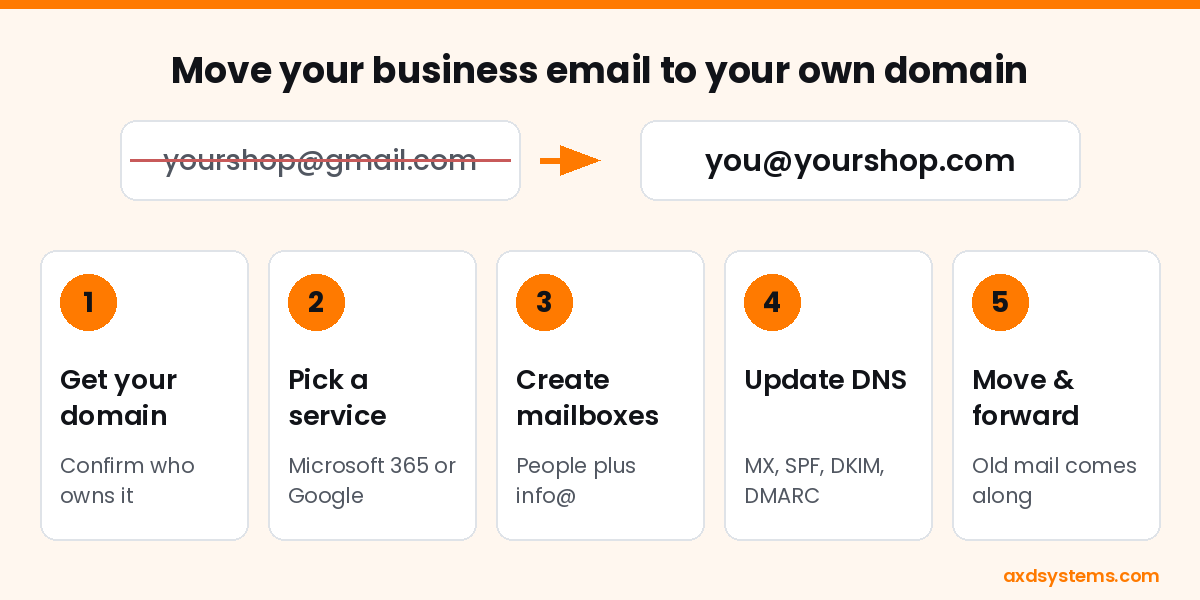
- Get or confirm your domain. If you have a website, you probably own one already. Find out where it's registered and make sure the login is in the business's name, not a former web designer's.
- Choose a service. Microsoft 365 Business Basic and Google Workspace Business Starter both run about $7 per user per month with a one-year commitment. Our Microsoft 365 vs Google Workspace guide helps you pick.
- Create mailboxes and shared addresses. One mailbox per person, plus free shared addresses like info@ or orders@ that several people can watch.
- Update DNS. MX records send your mail to the new service. SPF, DKIM, and DMARC prove your messages are really from you. This is the step that most often gets skipped or half done.
- Move the old mail and forward the old address. Copy old messages, contacts, and calendars into the new mailbox, then set the old account to forward and auto-reply with your new address.
What it costs
Expect three pieces: the domain (usually under $25 a year for a .com), the email service (about $7 per user per month), and setup if you want help. AXD's Microsoft 365 setup starts at $150 and covers the tenant, users, business email, and foundational security. Licensing is quoted separately. If you already have email on your domain and just need the SPF, DKIM, and DMARC records checked, an email security review starts at $100.
Common questions
Will I lose my old emails?
No. Old messages, contacts, and calendars can be copied into the new mailbox, and the old account can stay open for a while as a backup.
What happens to email sent to my old address?
Set the old account to forward to the new one and add an auto-reply with your new address. Keep it running for a few months while customers and vendors update their records.
How long does the switch take?
For a small office, setup usually takes a few hours, and the new mail starts flowing as soon as the DNS changes take effect, often within an hour. Copying years of old mail can run in the background for a day or two.
Do I need a website to have email on my own domain?
No. You only need the domain name. Email and a website can live on the same domain, but either one works without the other.
Want a hand with the switch?
We set up Microsoft 365 for small businesses in Coos Bay and North Bend and handle the DNS and mail move for you. Book a free 30-minute call, or run our free Tech Checkup to see how your current email setup grades.