The short answer
Both are good. For most small offices, the right choice comes down to one question: do the people in your office live in Word and Excel, or in a web browser? If your team trades Word documents and Excel spreadsheets with clients, accountants, or agencies, Microsoft 365 is usually the better fit. If you mostly work in email and shared docs and want things simple, Google Workspace is hard to beat.
What they cost
US list prices per user, per month, as of October 2026. Both companies change pricing and run promotions, so check before you buy.
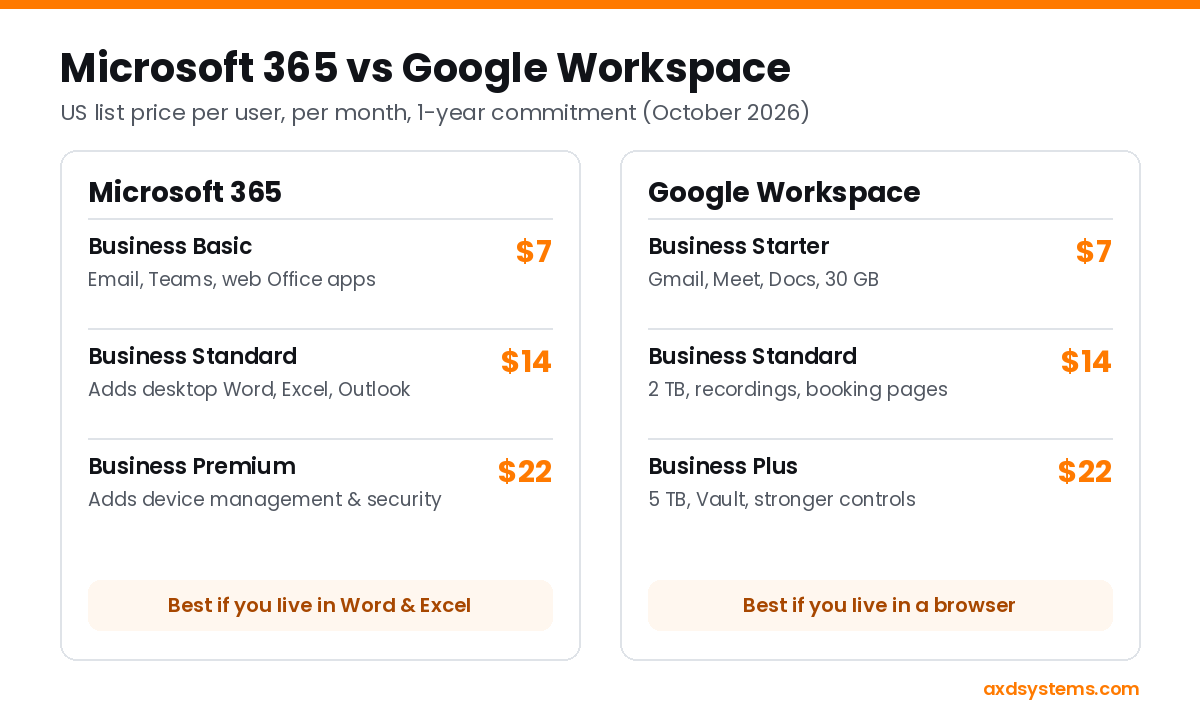
- Microsoft 365 Business Basic: $7. Business email, Teams, 1 TB of OneDrive storage, SharePoint, and web and mobile versions of Word, Excel, and PowerPoint.
- Microsoft 365 Business Standard: $14. Adds the full desktop Office apps. This is Microsoft's most popular small business plan.
- Microsoft 365 Business Premium: $22. Adds device management and stronger security tools.
- Google Workspace Business Starter: $7. Gmail with your domain, 30 GB of storage per person, Meet, and Docs, Sheets, and Slides.
- Google Workspace Business Standard: $14. 2 TB per person, meeting recordings, appointment booking pages, and eSignature.
- Google Workspace Business Plus: $22. 5 TB per person, Vault for archiving, and stronger security controls.
All six prices assume a one-year commitment; month-to-month plans cost more. Microsoft also sells Business Standard and Premium with its Copilot AI built in, for $23.50 and $32. Most small offices don't need that to start.
Choose Microsoft 365 if...
- You or your clients rely on desktop Word, Excel, or Outlook, especially complex spreadsheets, templates, or mail merges.
- You work with government agencies, schools, insurers, or accountants who send Office files and Teams invites.
- You want built-in appointment booking with Microsoft Bookings, or plan to manage company laptops later.
Choose Google Workspace if...
- Your team already uses Gmail and Google Docs and likes them.
- You work mostly in a browser or on Chromebooks.
- You want the simplest possible setup and admin, with real-time co-editing that just works.
What about switching?
Moving from one to the other is very doable. Email, calendars, contacts, and files can all be migrated, and with planning there's little or no downtime. The work is mostly in the details: updating your domain's DNS, reconnecting phones and computers, and making sure shared files land in the right place.
What we use
AXD runs on Microsoft 365 Business Standard. We trade a lot of Word and Excel files with clients and partners, and Bookings handles our free consultations. If your office looks more like a Gmail-and-Docs shop, Google is a perfectly good choice and we'll say so.
Common questions
Can I keep my current email address?
If it's on your own domain (like you@yourbusiness.com), yes. Your address stays the same and only the service behind it changes. If it's a free Gmail, Yahoo, or Outlook.com address, you'd move to a new address on your domain, and we can forward the old one while people catch up.
Is a free Gmail address OK for a business?
It works, but it's easy to impersonate and looks less established to customers. An address on your own domain costs about $7 a month with either service and makes your emails easier to trust.
Do I need Copilot or Gemini AI?
Not to start. Both services include some AI features in every plan. Try those first and upgrade only if your team actually uses them.
Not sure which fits?
We set up and support Microsoft 365 for small businesses in Coos Bay and North Bend, and we'll tell you honestly if Google is the better fit for you. Book a free 30-minute call, or run our free Tech Checkup to see how your current email setup looks.